Virtual Scroller Component
Mger Ktoian
Usage
- Add
c-virtual-scrollerto your parent component. - Set required props:
total-items,item-height. - Handle
onviewportchangeevent to slice data and apply padding. - Initialize in
renderedCallback()withinitializeScrollContainer. - Add required CSS styles to your component.
- See
sampleVirtualTablefor a complete example.
<!-- Parent Template -->
<template>
    <c-virtual-scroller
        lwc:ref="virtualScroller"
        total-items={totalItemCount}
        item-height={itemHeight}
        buffer-size={bufferSize}
        onviewportchange={handleViewportChange}
    ></c-virtual-scroller>

    <div lwc:ref="scrollContainer" class="scrollable-container">
        <!-- For lists: use div spacers -->
        <div lwc:if={virtualTopPadding} class="virtual-scroll-spacer top-spacer"></div>

        <template for:each="{virtualizedItems}" for:item="item">
            <div key={item.id}>{item.name}</div>
        </template>

        <div lwc:if={virtualBottomPadding} class="virtual-scroll-spacer bottom-spacer"></div>
    </div>
</template>
For tables, use <tr> spacers instead of <div> spacers (see sampleVirtualTable for table example).
Properties
| Name | required? | type | Description/Example |
|---|---|---|---|
itemHeight | required | number | Height of each item in px. |
totalItems | required | number | Total items in dataset. |
bufferSize | optional | number | Items to render outside viewport (default 6). |
Methods
| Name | Arguments | Description/Example |
|---|---|---|
initializeScrollContainer | container (HTMLElement) | Set up scroll container. |
scrollToTop | behavior (string, optional) | Scroll to top (default 'auto'). |
scrollToIndex | index (number), behavior | Scroll to specific index. |
Events
| Name | Description/Example |
|---|---|
viewportchange | Provides startIndex, endIndex, topPadding, bottomPadding, totalHeight. |
Best Practices
- Use fixed item heights.
- Reset scroll on filter/sort.
- For tables: Use CSS vars for spacers.
- Buffer 5-10 for smooth scrolling.
Demo Component
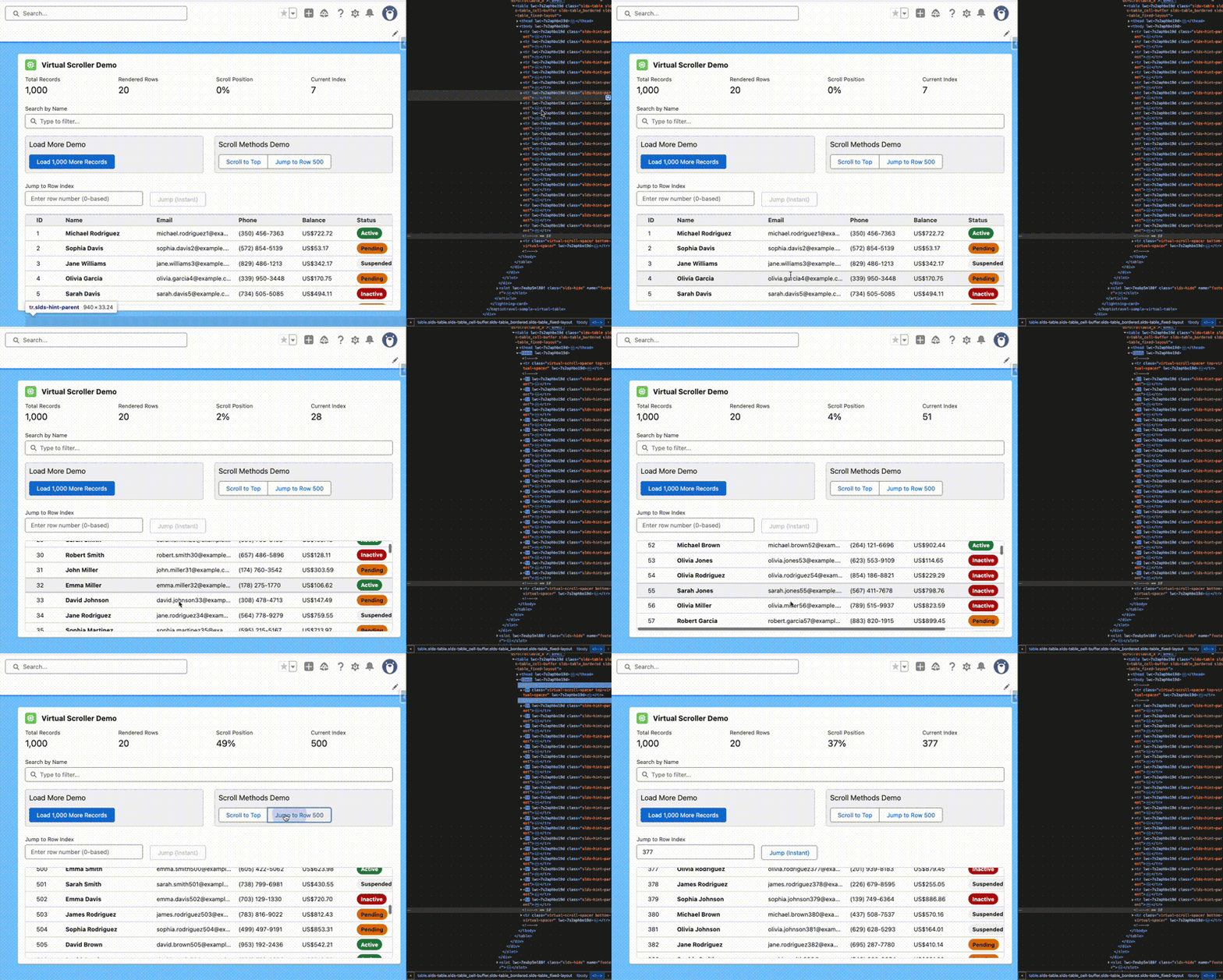
Use sampleVirtualTable as a reference—it demonstrates filtering, load-more, and scrolling with 5,000+ records.
Troubleshooting
- Jumping items: Verify
itemHeightmatches rendered height. - Blank space: Increase
bufferSize.